Compare SQL Server Stored Procedures
Find differences between stored procedures across any two SQL Server databases — individually or all at once.
Compare a Single Pair of Stored Procedures
Select the stored procedure you want to compare in the Source database and its counterpart in the Target database, then click "Compare Sel. Proc". SCT will display a side-by-side diff highlighting every difference between the two procedures.
Compare All Stored Procedures at Once
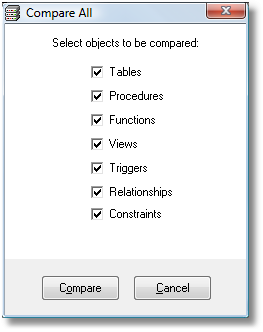
Click "Compare All" to compare every stored procedure in both databases simultaneously. A dialog will appear — check the "Procedures" checkbox and click Compare.

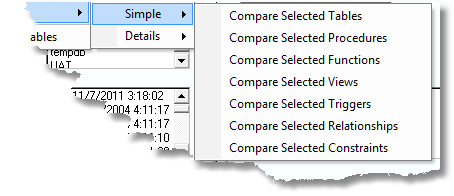
Alternatively, use the menu: Structure Comparisons → Bulk Comparisons, then choose Simple or Details depending on how much detail you need in the report.
Selective Comparisons
Need to compare only a specific subset of stored procedures? Use Structure Comparisons → Selective Comparisons to choose exactly which procedures to include. This is useful when you know which procedures changed and want a focused, fast comparison.
Free Edition Available
Stored procedure comparison is available in our permanently free SCT Free Edition — no trial period, no expiry.
Automate It
Save your comparison session and replay it from the command line or a scheduler. Learn more →
Azure SQL Supported
Compare stored procedures between on-premise SQL Server and Azure SQL databases seamlessly.